TransportX Agent

From question to decision

Analyze data, explore maps, and deliver reports with an open-source desktop agent.

Interface of TransportX Agent
Platforms
macOS arm64 / Windows x64
License
AGPL-3.0-only
Clients
Desktop / Web / CLI

One question. A shared transport workspace.

Keep conversation, maps, and findings side by side. Explore the examples to see a question become a result you can inspect.

Real task screenshot. Click to view full size.

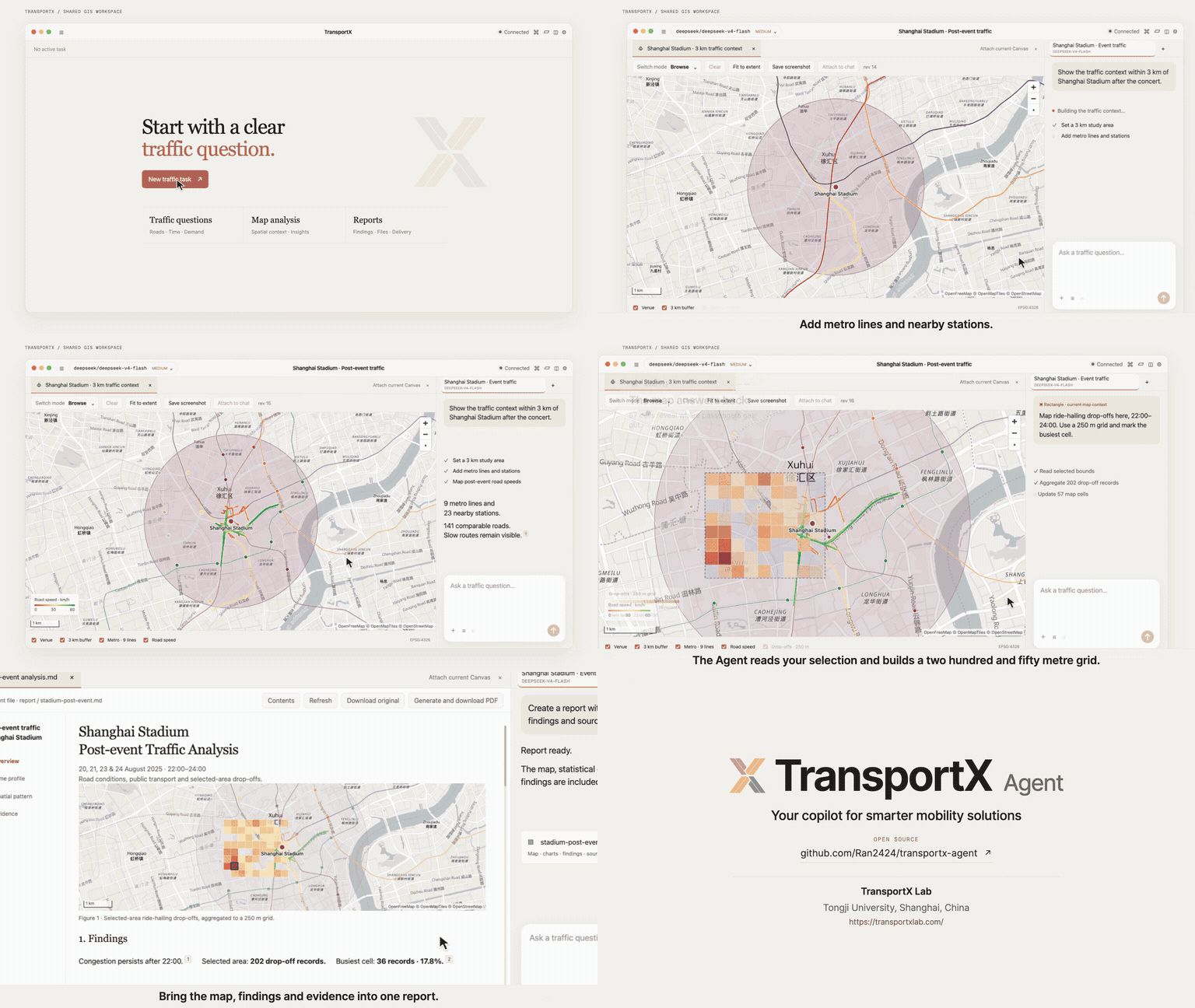
Which roads need attention after an event at Shanghai Stadium?

Compare road speeds, parking demand, and venue location on one map, then review the agent findings.

Real task screenshot. Click to view full size.

Which metro stations have the highest shared-bike connection demand?

Place station rankings on the map, inspect nearby transit lines, and ask about a specific station or area.

Real task screenshot. Click to view full size.

How does ride-hailing demand change before, during, and after a holiday?

Compare demand trends with rail arrivals and departures. Check time ranges and definitions before drawing conclusions.

Keep the map in the conversation. Keep evidence in the report.

Select an area to investigate further. Review charts, citations, and source files in the report. Analysis and delivery stay connected.

Select an area. Ask the next question.

Return a point, feature, rectangle, or viewport as geographic context for the next question.

Learn more

The agent publishes layers; you inspect and select. Selections enter the next message with their map revision, keeping the same spatial scope without describing the location again.

Findings with charts. Evidence with sources.

Charts, citations, and findings become one report. Deliver the original file or a PDF.

Learn more

Review the generated Markdown report in the document canvas. Check dates, units, methods, and citations, then download the source or export a PDF. Findings remain connected to source files and tool output.

Different tasks. Different capabilities.

Choose a model and Modules when creating a task. Add the data, knowledge, methods, and tools needed for the work, with exact versions retained.

Data and knowledge
Bring domain datasets, source knowledge, and analysis material.
Methods and tools
Add Skills, Extensions, and native analysis runtimes.
Charts and video
Create charts and install video search and processing capabilities.
Templates and versions
Reuse report templates and retain the Module versions used by each task.
Explore Modules (中文) →

Watch a question become a finished report.

See the full workflow from creating a traffic task to shared-map analysis and report delivery.

68-second product overview with sound.
Why TransportX?

Coding agents such as Codex and Claude Code have improved quickly, but using them still often means working with code, terminals, and unfamiliar file structures. That remains a real barrier for many domain specialists, particularly non-programmers who need to analyze traffic data or build map-based explanations.

TransportX began with a simple goal: make agent-assisted analysis practical for transport professionals. It is a lightweight desktop workspace for asking questions, inspecting maps and charts, and delivering results with their evidence attached. The core stays small. Modules add the data, knowledge, methods, and tools required by a field, which also makes the platform useful beyond transport.
Explore the source on GitHub →